

Introduction
Software is the heart of every computer and digital device we use today. Without software, hardware is just a useless machine that cannot perform any task. Understanding the types of software is very important for beginners who want to learn computers, technology, or IT basics. In simple words, software means a set of instructions that tells a computer what to do and how to do it.
There are different types of software designed for different purposes. Some software helps the computer run smoothly, while other software helps users perform tasks like writing documents, browsing the internet, or watching videos. When we talk about types of software, we mainly divide them into system software, application software, and utility software. Each category has its own role and importance in computing.
In today’s digital world, software is everywhere. From mobile phones to laptops, from cars to smart TVs, everything runs on software. Learning about types of software helps users understand how technology works behind the scenes. It also helps students, beginners, and professionals choose the right tools for their needs. In this guide, we will explore the types of software in detail, their importance, benefits, disadvantages, and practical examples so that you can easily understand how they work in real life.
What is Types of Software?
The term types of software refers to the classification of software based on its functions and usage. Software is generally divided into categories so that users can understand its purpose more clearly. Each type of software performs specific tasks and helps computers operate efficiently.
The main types of software include system software, application software, and utility software. System software manages the hardware and provides a platform for other software to run. Application software helps users complete specific tasks like editing photos or sending emails. Utility software is designed to maintain, protect, and optimize the system.
Understanding types of software is important because it helps users identify which program is needed for a specific task. For example, if you want to browse the internet, you use a browser (application software). If you want your computer to function properly, system software like an operating system is required.
Why is Types of Software Important?
The concept of types of software is important because it helps us understand how computers function in different environments. Every device we use depends on software, and without proper classification, it would be difficult to manage or improve technology systems.
One major reason it is important is that it helps in better system management. When users know different types of software, they can install, update, or remove programs more efficiently. It also helps in troubleshooting problems when something goes wrong.
Another reason is productivity. Different types of software are designed for different tasks, and using the right software improves efficiency. For example, office software helps in documentation, while design software helps in creativity and graphics work.
Finally, understanding types of software is important for education and career growth. Students who learn about software types can build careers in programming, IT support, cybersecurity, and software development.
Detailed Step-by-Step Guide
Step 1: Understanding System Software
System software is the most important type of software because it runs the entire computer system. It acts as a bridge between hardware and user applications. The operating system is the best example of system software.
Examples include Windows, Linux, and macOS. These systems manage memory, files, and hardware devices like printers and keyboards.
Step 2: Understanding Application Software
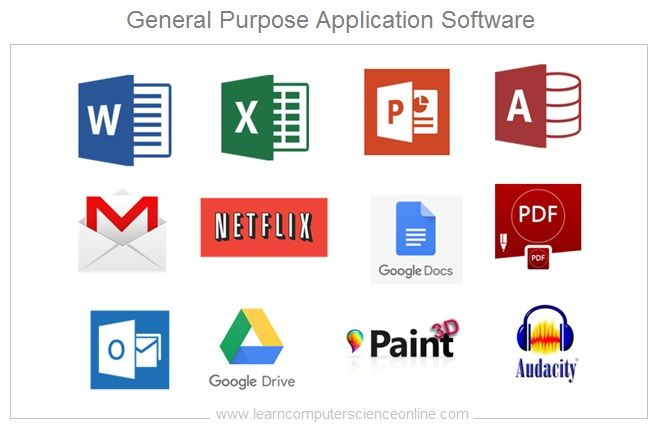
Application software is designed to help users perform specific tasks. It is the most commonly used type of software by everyday users.
Examples include Microsoft Word, Google Chrome, Photoshop, and WhatsApp. These tools help in writing, browsing, editing, and communication.
Step 3: Understanding Utility Software
Utility software is used to maintain and optimize computer performance. It helps in system protection and improves efficiency.
Examples include antivirus programs, disk cleaners, and file compression tools. These tools ensure the system runs smoothly and securely.
Step 4: Understanding Programming Software
Programming software is used by developers to create other software. It includes tools like compilers, interpreters, and code editors.
Examples include Visual Studio, Eclipse, and Python IDEs. These tools help programmers write and test code efficiently.
Step 5: Understanding Open Source and Proprietary Software
Open source software is freely available and can be modified by users. Proprietary software is owned by companies and usually requires payment.
Examples of open source software include Linux and LibreOffice. Examples of proprietary software include Microsoft Office and Adobe products.
Benefits of Types of Software

- Helps users understand how computers work
- Improves productivity and efficiency
- Makes troubleshooting easier
- Supports different tasks and industries
- Helps in career development in IT fields
- Enhances system performance and security
- Provides flexibility in choosing tools
Disadvantages / Risks
- Some software can be expensive
- Learning different software can be confusing for beginners
- System software issues can affect the whole computer
- Some application software requires high system resources
- Security risks like viruses and malware can affect software
- Frequent updates may cause compatibility issues
Common Mistakes to Avoid
Many beginners make mistakes when working with software. One common mistake is downloading software from untrusted sources, which can harm the system. Another mistake is not updating software regularly, which can cause security risks.
Some users also install too many unnecessary programs, which slows down the computer. Another mistake is not understanding the difference between system and application software, leading to improper usage.
It is also important to avoid ignoring antivirus software. Without protection, systems become vulnerable to threats. Lastly, users often skip reading instructions, which leads to confusion and errors.
FAQs
1. What are the main types of software?
The main types of software are system software, application software, and utility software. Each type has a different role in computer operations.
2. What is system software?
System software is responsible for running the computer system. It manages hardware and provides a platform for other software.
3. What is application software?
Application software helps users perform specific tasks like writing, browsing, and designing.
4. Why is software classification important?
It helps users understand the purpose of each software and improves system management and productivity.
5. Can a computer work without software?
No, a computer cannot function without software because software controls all hardware operations.
6. What is utility software used for?
Utility software is used to maintain, protect, and optimize computer performance.
7. What is the difference between open source and proprietary software?
Open source software is free and editable, while proprietary software is paid and restricted by the company.
Expert Tips & Bonus Points
Always install software from trusted sources to avoid security risks. Keep your system software updated to ensure smooth performance. Learn basic troubleshooting skills to handle minor software issues.
Use lightweight software if your system has low specifications. Regularly clean your system using utility tools to improve speed. Also, try to learn multiple types of software to improve your technical skills and career opportunities.
Understanding types of software deeply can help you become more confident in using technology. It also helps you choose the right tools for personal, educational, or professional use.
Conclusion
Software plays a powerful role in today’s digital world, and understanding types of software is essential for every computer user. From system software that runs the entire computer to application software that helps users perform daily tasks, each category has its own importance.
Utility software ensures that systems remain clean, fast, and secure, while programming software allows developers to create new applications. Together, all these types of software form the backbone of modern computing.
In everyday life, we use software without even realizing it. Whether we are sending messages, watching videos, or working on documents, software is always working behind the scenes. That is why learning about types of software is not just useful but necessary.
For beginners, this knowledge builds a strong foundation in technology. For professionals, it helps improve skills and productivity. As technology continues to grow, software will become even more important in shaping the future of communication, education, and business.
